Overview
Add one component. Assign a profile. The object has an outline. That is the whole setup — for a mesh and for a sprite alike — and everything below is what happens once you want more than the default.
Your material is never touched. Keyline does not swap the shader on your renderer, does not require a particular one, and does not add a pass to it. The outline is drawn from a separate hull with its own material, so your objects keep whatever they had — Lit, Shader Graph, a third-party toon shader, a character carrying a stack of custom passes. Nothing has to be re-authored to become outlinable, and removing the component leaves the object exactly as it was.
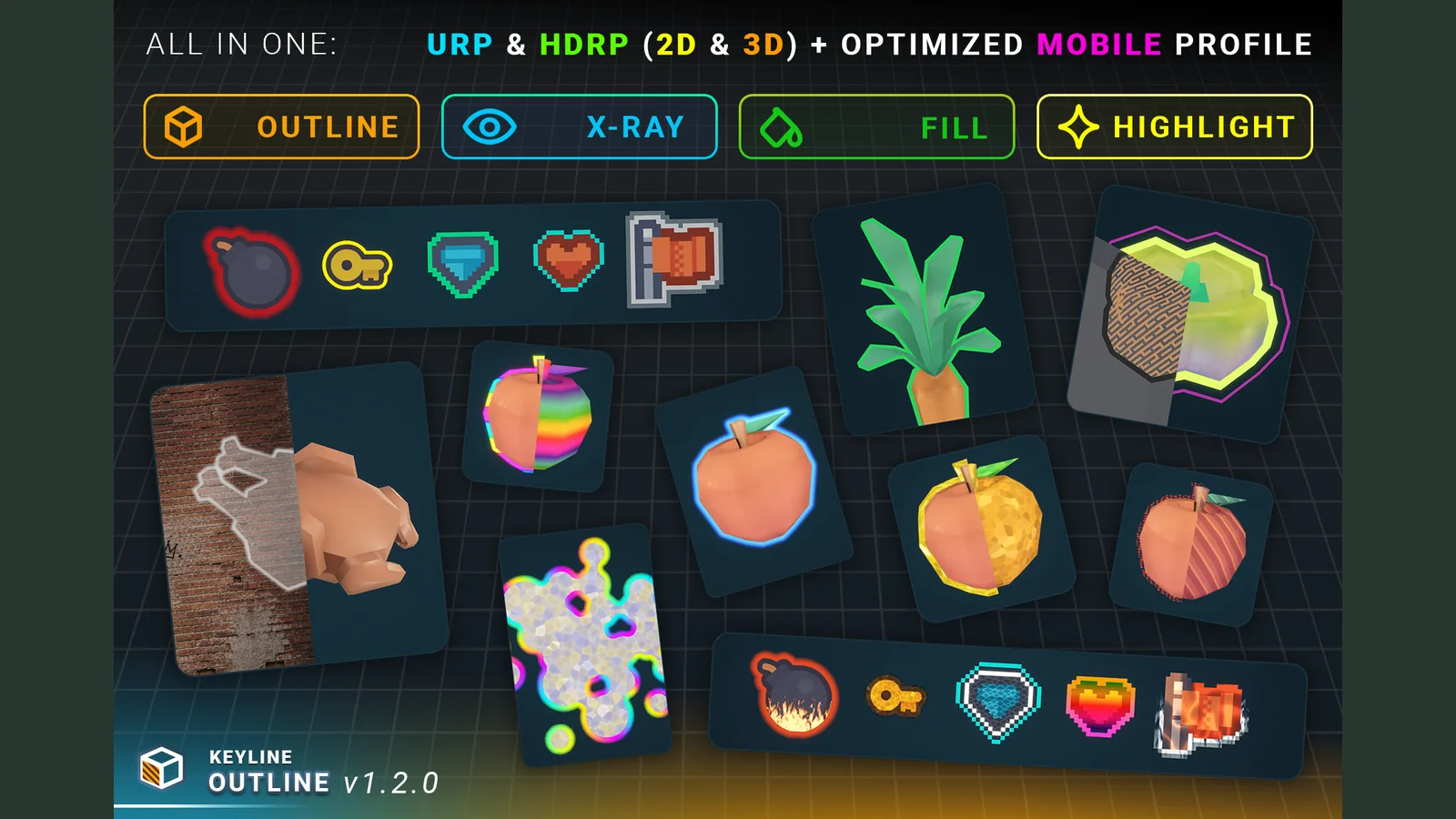
It is a per-object effect, not a fullscreen one. You can outline a single enemy through a wall in orange while a pickup two metres away pulses green, and everything without the component stays untouched. X-Ray decides per object which layers it is allowed to show through — glass only, walls only, or both — so one prop can be seen through a window and its neighbour through nothing at all. That is the trade against a post-process edge detector, which sees the whole frame at once and gives every edge in it the same weight.
Sprites are first-class. Keyline Outline 2D gives a SpriteRenderer the same profiles, the same fifteen styles and the same passes, with the rim measured from a distance field baked out of the artwork — so it follows what is drawn, holes included. Pixel art gets its own field mode: the edge lands on texel boundaries, corners come out square, and the width is counted in whole texels of the source at any zoom and any Pixels Per Unit.
The part that is genuinely hard to write yourself is the hull. Flat leaves, single-sided cards and thin prongs turn into blades under a naive normal-based extrusion. Every hull decides per face whether to follow the surface normal or stay in the plane, with no mode to pick; Sheet Solidify gives a flat island enough thickness to hold a rim. Vertices a model splits along hard edges and UV seams are joined in the outline's copy of the mesh, so the rim does not open there, and a surface modelled with both sides — a card, a leaf, a paper carton — is outlined all the way round. These settings belong to the object rather than the style, so one profile outlines a crate and a leaf alike. Stretch the model to a non-uniform scale and the outline and its style keep their proportions. The same component covers a static prop, a skinned character, a foliage card and a texture-cut decal — it picks the hull it can build from the mesh in front of it.
Fifteen styles, and every one of them is tunable and works on every pass — rim, X-Ray, fill — on meshes, sprites and cutouts. Each pass picks its own blend mode, so the same colour reads as light over a dark scene and as ink over a bright one; Single Layer paints each pixel once where a hull folds over itself; adjustable edge softness smooths any style, with a stepped variant for pixel art.
URP and HDRP live in the same package and are selected automatically by the pipeline tag. A hard-edged outline needs no renderer feature, no prepass and no project setting; the optional Soft Edge pass is added and removed in one click. A Mobile Solid profile is included for mobile, where it is the faster profile as the number of outlines grows.
You pay only for what you use. Project Settings ▸ Keyline ▸ Features has a switch for every part of Keyline that costs something — each pass, each style, the pipeline passes, merging, the recipes. A feature that is off leaves the inspectors, is skipped at runtime and is left out of the build, down to its shader variants. Presets by platform and level, or Detect From Project, pick the set for you; nothing you made is changed by switching a feature off.
Outlines behave like the object they belong to. They take its layer, so a weapon camera, a minimap or split screen draws the outline by the same rule as the object; they can hide when its renderer is switched off; an object with a LOD Group is outlined once and culled with it; and, with Main Sees Through or Main Contact Depth on, the rim of an object standing on the floor is no longer cut by that floor.
Key features
- Project Features: switch off every part of Keyline a project does not use — hidden in the Editor, skipped at runtime, stripped from builds down to the shader variants. Presets by platform and level, Detect From Project, and a Setup window after import.
- Per-object passes — outer rim, X-Ray rim for when the object is hidden, interior fill, and X-Ray interior fill, plus an optional cutout overlay on meshes. Each carries its own complete profile.
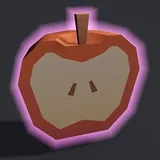
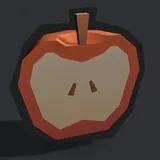
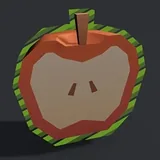
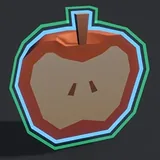
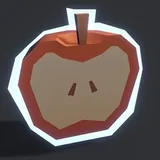
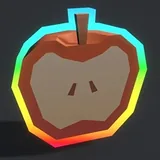
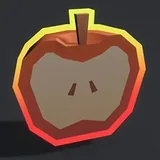
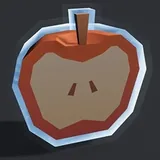
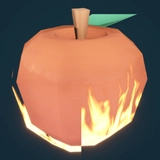
- Fifteen outline styles, every one of them tunable: Solid, Neon, Halo, Sketch, Pattern, Double, Electric, Rainbow, Gradient, Frost, Lava, Smoke, Crystal, Water, Fire.
- Sprites are first-class: Keyline Outline 2D gives a SpriteRenderer the same profiles, styles and passes, with the rim measured from a distance field baked out of the artwork rather than from an extruded hull — so it follows what is drawn, holes included. Sprite Atlas (Full Rect packing) and per-frame fields for animation clips are supported.
- Pixel art is a first-class case: the sprite's distance field can be baked on the texel grid instead, so the edge lands on texel boundaries, corners come out square, and the width is counted in whole texels of the source — two texels of outline at any zoom and any Pixels Per Unit.
- X-Ray layer filtering: each component names the Unity layers its X-Ray may show through — glass only, walls only, both — and two objects behind the same wall can disagree. Costs nothing until a mask is actually narrowed.
- Outlines follow their object: the renderer's layer and rendering layers (for weapon cameras, minimaps, split screen), Hide With Renderer, and LOD Group support.
- Main Sees Through and Main Contact Depth: the floor an object stands on no longer cuts its outline.
- Seven blend modes plus Default, per pass — Alpha, Additive, Multiply, Screen, Lighten, Darken, Subtract — so the same colour can be laid over the frame as light, as ink, or as ordinary transparency.
- Single Layer: where a hull folds over itself, paint the pixel once instead of twice — for the styles where the overlap is a defect, not the look.
- Adjustable edge softness on every style and every rim pass (fills stay hard), with a stepped ring-by-ring falloff for pixel art. On meshes it rides on the optional Soft Edge pass, added and removed in one click; without it the component behaves exactly as before, hard-edged and with nothing to install.
- Hard-mesh handling — every hull decides per face whether a part is solid or a sheet, Sheet Solidify thickens flat islands enough to hold a rim, and hard edges and UV seams never open the outline, double-sided models included. Set per object, so one profile serves a crate and a leaf.
- Cutout from material alpha: the outline follows the shape the texture defines, not the one the mesh has, with double-sided rendering for every style and pass. Foliage cards, decals, sprites on quads.
- Uniform scale handling: stretch the model and the outline and its style keep their proportions instead of stretching with it.
- Merge groups draw several objects as one silhouette, explicitly or automatically, with no internal edges between them — and X-Ray unions across the group the same way.
- Skinned meshes follow the animation without re-baking per frame — all passes, on a rigged character.
- Width in world units, in constant screen pixels, or in texels of the source sprite, whichever the shot needs.
- Draw Config exposes queue, ZTest, ZWrite, Cull, depth bias and stencil state for every 3D outline in the scene instead of keeping them as constants.
- Fourteen drop-in components for hover, selection, damage, gauges, waves, reveal and distance fade — including an arbiter that stops them fighting over the same object.
- Instance override: profiles are shared by default, and an object forks its own private copy the moment it needs to differ.
- Full scripting API — BlendTo profile transitions, per-part pass switches, AdoptChild for objects picked up at runtime, raycast lookup — with a searchable API Reference beside the manual.
Outline styles
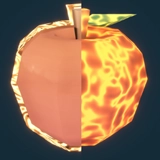
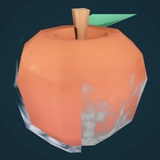
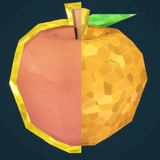
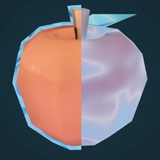
What's included
- Two outline shaders — 4ssets/Keyline/Outline (Full) and Mobile Solid — each carrying a SubShader per render pipeline, plus the Soft Edge, X-Ray occluder and 2D occluder shaders behind them. No Shader Graph dependency.
- Under Add Component ▸ Keyline: the mesh and sprite outline components, the two sprite occluders, Merge Group, Draw Config, and fourteen recipe components in Runtime/Recipes/.
- Sixteen ready-made profile assets — one per style, plus a Mobile Solid profile.
- 84 pattern textures (PNG, 256 × 256) for the Pattern style.
- A ten-chapter demo scene, built entirely from script and safe to delete — meshes, skinned character, cutouts, sprites and pixel art.
- Demo models, sprites and textures by Kenney (CC0).
- A 17-section HTML manual, a quick start and a searchable API Reference — all offline, inside the package.
- README, CHANGELOG, License.txt and Third-Party Notices.txt at the package root.
Technical details
| Outline styles | 15 |
| Passes per object | rim, X-Ray rim, fill, X-Ray fill — plus an optional cutout overlay on meshes |
| Blend modes | 7 + Default, chosen per pass |
| Profile parameters | 100+ fields — the inspector shows only the ones the chosen style reads |
| Project Features | one switch per optional pass, style and subsystem — features that are off are stripped from builds |
| Components | mesh outline, sprite outline, 2 sprite occluders, merge group, draw config, 14 recipe components |
| Shaders | Full + Mobile Solid outline shaders, Soft Edge, X-Ray occluders, 2D occluder — with shared .hlsl includes |
| Pattern textures | 84 · PNG · 256 × 256 |
| Demo | 1 scene, 10 chapters |
| Batching | 400 outlined objects in one Merge Group add 28 SetPass calls to the frame |
| Allocation | 0 bytes per frame from the outline runtime |
| Render pipelines | URP 17.x and HDRP 17.x — one package |
| Sprite field modes | 3 — Smooth (Euclidean, sub-texel edge) and Pixel Art 8-way / 4-way (texel grid) |
| Width modes | world units, constant screen pixels, texels (sprites) |
Requirements
- Unity 6000.3 or newer.
- Universal Render Pipeline 17.x or High Definition Render Pipeline 17.x — both ship in the same package and are selected automatically.
- The Built-in Render Pipeline is NOT supported.
- Tested on Windows (URP and HDRP), Android (Vulkan and OpenGLES3) and WebGL. Soft Edge switches itself off under single-pass stereo VR; outlines still render.
Tags
Version history
v1.3.0
- Project Features: switch off every part of Keyline you do not use. Hidden in the Editor, skipped at runtime, stripped from builds (fewer shader variants). Presets by platform (3D / 2D / both) and level (Full / Essentials / Mobile / Minimal), Detect From Project, and a Setup window after import.
- Faster: the outline shader is back in the SRP Batcher, Soft Edge cost now grows linearly with the number of outlines, pulses write only what moves, the new Share Stencil With Others lets crowds batch, and pooled objects and same-shape profile swaps no longer rebuild their outline. Preparing a large mesh's hull is several times faster.
- Outlines follow their object: Mirror Layer puts the outline on its renderer's layer (weapon cameras, minimaps, split screen), Hide With Renderer, and LOD Group support.
- The floor no longer cuts the outline: Main Sees Through and Main Contact Depth keep the rim of an object standing on the ground.
- Cleaner outlines on hard meshes: hard edges and UV seams never open the outline, models built double-sided — cards, leaves, paper cartons — are outlined all the way round, a triangle wound the wrong way no longer dents it, the hull tells a gap from a thickness and keeps sheets that cross — the blades of a whisk — whole, slivers an exporter leaves along an edge no longer thin the band, hard corners get a rounded bevel, and Sketch and Electric stay in one piece.
- One way to build a hull: Expand Mode is gone. Every hull decides per face whether a part is solid or a sheet, growing solids along their normals and sheets in their own plane, so a crate, a leaf and a whisk need no setting. Objects saved on Normal or Planar are outlined the new way.
- Geometry per object: Sheet Solidify and sheet detection moved from the style profile to the component, so one profile outlines a crate and a leaf alike. Components saved with 1.2.0 take their values over automatically.
- Scripting: BlendTo for smooth profile transitions, per-part pass switches, AdoptChild / AttachTo for outlines picked up at runtime, raycast lookup and batch helpers.
- New Distance Fade recipe: fade or hide outlines by distance from the camera.
- Docs and editor: a searchable API Reference, redesigned inspectors and Project Settings, and ? buttons that open the matching manual section.
- Many fixes: Soft Edge with MSAA, objects pooled with SetActive, Enter Play Mode Options, multi-object editing.
- Compatible with 1.2.0: scenes, prefabs and profiles load unchanged; renamed API keeps working with [Obsolete] hints. Re-bake meshes saved with Bake for Runtime; the few defaults that changed are listed under "Upgrading from 1.2.0" in the changelog.
v1.2.0
- SpriteRenderer support: Keyline Outline 2D with the same profiles, styles and passes, plus two components for declaring what counts as an occluder in a scene that has no depth of its own. Sprite Atlas (Full Rect) and per-frame fields for animation clips.
- Pixel art fields: Field Mode bakes the sprite's field on the texel grid, with a diagonal costing one step (8-way) or two (4-way). The edge lands on texel boundaries, corners are square, and Width counts whole texels of the source. Rim Falloff fades the rim a whole ring at a time.
- X-Ray layer filtering: each component names the layers its X-Ray may show through, and Transparent Occluder Layers lets glass and water count as occluders.
- The cutout rim is measured from a baked distance field instead of by sampling the alpha on a ring — smooth at any zoom, one texture fetch at any width. Rim Samples is gone; Rim Softness and Rim Inset take its place. Double-sided rendering for every style and pass on cutouts.
- Five new styles: Lava, Smoke, Crystal, Water and Fire. Fifteen in total, and a profile ships for each. Fire and Smoke gained a second direction angle for meshes.
- Blend modes per pass, and Single Layer to paint each pixel once where a hull covers it twice.
- Optional Soft Edge pass for a soft rim on meshes, opt-in and removable in one click. Edge softness on sprites needs no pass.
- Uniform scale: outline and style keep their proportions on a non-uniformly scaled object.
- Draw Config exposes queue, ZTest, ZWrite, Cull, depth bias and stencil state instead of keeping them as constants.
- Rewritten inspector: only the fields the chosen style reads are shown, with width in the unit the mode uses.
- KeylineOccludedXRay is now KeylineXRayWhenHidden; the old name still compiles as a deprecated subclass, so nothing has to change on update.
v1.0.0
- Initial release.
- Per-object outlines, highlights and X-Ray for URP and HDRP in a single package.
- Four passes per object, ten styles, hard-mesh handling, cutout from material alpha, merge groups, skinned mesh support.
- Thirteen drop-in components and a ten-chapter demo scene.
FAQ
Do I have to change my materials or shaders?
Does it work on sprites and pixel art?
Does it work on flat meshes, foliage cards and thin geometry?
Can I control what the X-Ray shows through?
Does it support skinned and animated characters?
How expensive is it?
URP and HDRP — is that two packages?
Will updating from 1.2.0 break my project?
Can I leave out the parts I do not use?
Can I try it before buying?
Can I outline a group of objects as one shape?
What is the licence on the demo art?
Question about "Keyline"?
I'll help with setup and integration. Updates are free for buyers.
Contact support-
DocumentationOpen the guide →