Mastodon
Built-in (BRP) URP HDRP

Overview

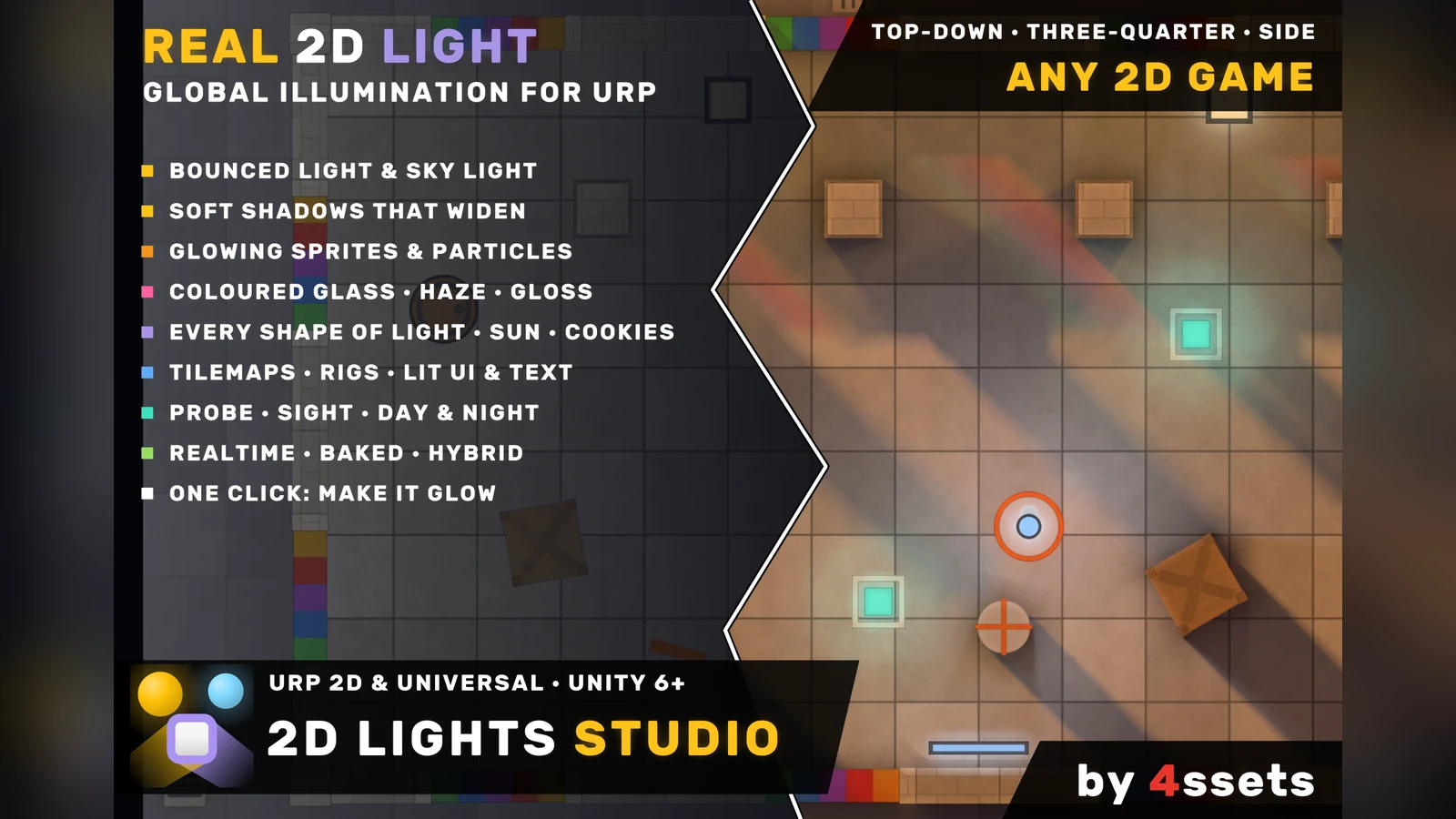
2D Lights Studio lights 2D scenes the way light behaves: it bounces, it softens with distance, and it glows from whatever you say glows. Add a light, mark what casts shadows, and the scene is lit — on your own sprites.

It is not a set of 2D lights with hard shadow polygons. 2D Lights Studio solves the light of the whole screen every frame — global illumination — so a torch lights the wall and the wall lights the floor, shadows start sharp at the object and widen with distance, and the sky reaches open ground but stays out of closed rooms.

Anything can be a light. A sprite, its emission map or a particle system gives light in its own shape: lava, neon, screens, crystals. Many emitters cost little more than one. Lights come as circles, ellipses, rectangles, lines and any polygon, with spot cones, cookies, a directional sun with height and negative lights for pools of darkness.

Light passes through coloured glass and takes its colours — a stained-glass window throws its picture on the floor, frosted glass washes its colour evenly — and Haze makes the air glow where light passes, with every shadow cutting through it. A Gloss stamp gives water, ice and polished floors a sheen under every lamp.

One Camera setting turns the same light to your game: top-down, three-quarter or side view, with isometric walls lit on the side they face. Standing objects are lit on their faces and tops; UI and TextMeshPro on world and camera canvases are lit with the scene; HD view suits painted art with normal maps, Pixel Art view gives one value of light per game pixel. Sprites, tilemaps, Sprite Shapes and 2D Animation rigs all work, on the 2D Renderer and the Universal Renderer.

Light can be gameplay. Studio Probe tells your code how much light falls on a point or an area and which lamps reach it, Studio Sight shows only what a character sees, and Reveal by Light shows sprites only in the light — or only in the dark.

Studio Window sets a project up with one click — Make It Glow — and one Undo takes it back. Doctor finds what is wrong and fixes it. Realtime, Baked and Hybrid lighting let you pay only for what moves: on a laptop's integrated graphics the demo's rooms run at 78 to 88 frames a second at 1080p on Low.

Key features

  • Real-time 2D global illumination: bounced light, sky light and soft shadows that widen with distance.
  • Lights: circle, ellipse, rectangle, line and polygon; spot cones; cookies; a directional sun with height; negative lights.
  • Shadows per light: Strength, Color and Length. Studio Drop Shadow: a sprite's silhouette as its shadow, with no tracing.
  • Emitters: sprites, emission maps and particle systems give light in their own shape.
  • Coloured and frosted glass tint the light that passes; Haze lights the air; Contact Shade grounds walls and props; Gloss gives the wet look.
  • Camera: Top-down, Three-quarter or Side — one setting in the Look; isometric walls take light on the side they face.
  • HD view with normal maps and Pixel Art view with one value of light per game pixel.
  • Sprites, tilemaps, Sprite Shapes, sprites rigged with 2D Animation, UI and TextMeshPro on world and camera canvases.
  • Studio Probe with light events, Sight and Reveal by Light for stealth, sensors and puzzles.
  • Flicker patterns, Day Night, Zones, light and shadow per Sorting Layer, Look transitions from one call.
  • Realtime, Baked and Hybrid lighting; quality levels from Low to Ultra, and Auto.
  • Studio Window: Make It Glow, six ready moods, Doctor with one-click fixes, bake, a cost meter; every light and helper in the GameObject menu.
  • One button turns Unity's Light 2D into Studio Lights; a material converter that restores what was there.
  • Screen compose needs no material changes; Materials compose adds normal maps and a Shader Graph sub graph.
  • Inspectors in Unity's own look; debug views show what 2D Lights Studio sees.

What's included

  • The Light Lab — a playable demo game in eight rooms; click anything to see its 2D Lights Studio settings. Safe to delete.
  • 6 moods, 3 camera profiles, 8 ready-made lights and starter kits.
  • Studio Window and Doctor in the Editor.
  • Offline HTML documentation: a Quick Start and a manual with every component's Inspector and a full parameter reference.
  • Full C# and HLSL source, License.txt and Third-Party Notices.txt. No third-party content.

Technical details

Lightglobal illumination solved every frame — bounce, sky, soft shadows
Light shapescircle, ellipse, rectangle, line, polygon, spot, cookie, sun, negative
Camera viewsTop-down, Three-quarter, Side; isometric walls
ArtHD and Pixel Art · normal maps · tilemaps, Sprite Shapes, 2D Animation
Lighting modesRealtime, Baked, Hybrid
Render pipelineURP 17+
URP renderers2D Renderer and Universal Renderer · Render Graph
Platformsdesktop and WebGL 2
Demothe Light Lab: a playable game in eight rooms
Documentationoffline HTML, quick start and manual

Requirements

  • Unity 6.0 LTS (6000.0) or newer.
  • Universal Render Pipeline 17+ with the 2D Renderer or the Universal Renderer; Render Graph.
  • Orthographic cameras.
  • A graphics device that renders to floating-point textures, as Unity's own 2D lights need.
  • HDRP and the Built-in Render Pipeline are NOT supported.

Tags

Tools 2D Lighting Global Illumination Shadows Top-down Isometric Platformer Tilemap URP

Version history

v1.0.02026-11-18
  • Real-time 2D global illumination for URP: bounced light, sky light, soft shadows.
  • Lights of every shape, emitters, coloured and frosted glass, Haze, Contact Shade, Gloss, Drop Shadow.
  • Top-down, three-quarter, isometric and side view; HD and Pixel Art views; lit UI and TextMeshPro.
  • Probe, Sight, Reveal by Light, Flicker, Day Night, Zones.
  • Realtime, Baked and Hybrid lighting.
  • Studio Window, Doctor, converters, the Light Lab demo and documentation.

FAQ

Is it 3D? The pictures look like they have depth.
No. Everything is flat 2D sprites on one plane. The depth comes from light: each object has a height, shadows soften with distance, and normal maps catch the light. The second picture in the gallery shows the same room in the editor's 3D view.
Do I have to change my materials?
No. In the Screen compose mode the finished picture is multiplied by the light, so lit and unlit sprite materials both work as they are. The Materials compose mode adds normal maps; a converter switches materials to it and restores exactly what was there.
How is it different from Unity's 2D lights?
Unity's Light 2D draws each light with hard shadow shapes. 2D Lights Studio solves the light of the whole screen: light bounces off walls and floors, shadows widen with distance, and any sprite can give light. One button turns the Light 2D components of a scene into Studio Lights, and one Undo takes it back.
Does it work for platformers and three-quarter games?
Yes. The Look's Camera setting has Top-down, Three-quarter and Side. In the three-quarter view standing objects block light at their feet and are lit on their faces and tops; in the side view the sky lights from above.
What does it cost at run time?
It depends on the quality level and on what moves. A lamp that stands still keeps its shadows, a frame where nothing changes keeps its light, and Baked or Hybrid lighting reads the still part from compressed textures. On a laptop's integrated graphics the demo's rooms run at 78 to 88 frames a second at 1080p on Low. The Light Lab demo shows its frame time in the bar: try it in your browser.
Can I use it in the Built-in pipeline or HDRP?
No. 2D Lights Studio is for URP 17 or newer on Unity 6. Imported into another pipeline it compiles to nothing and raises no errors.
Support

Question about "2D Lights Studio"?

I'll help with setup and integration. Updates are free for buyers.

Contact support

More assets